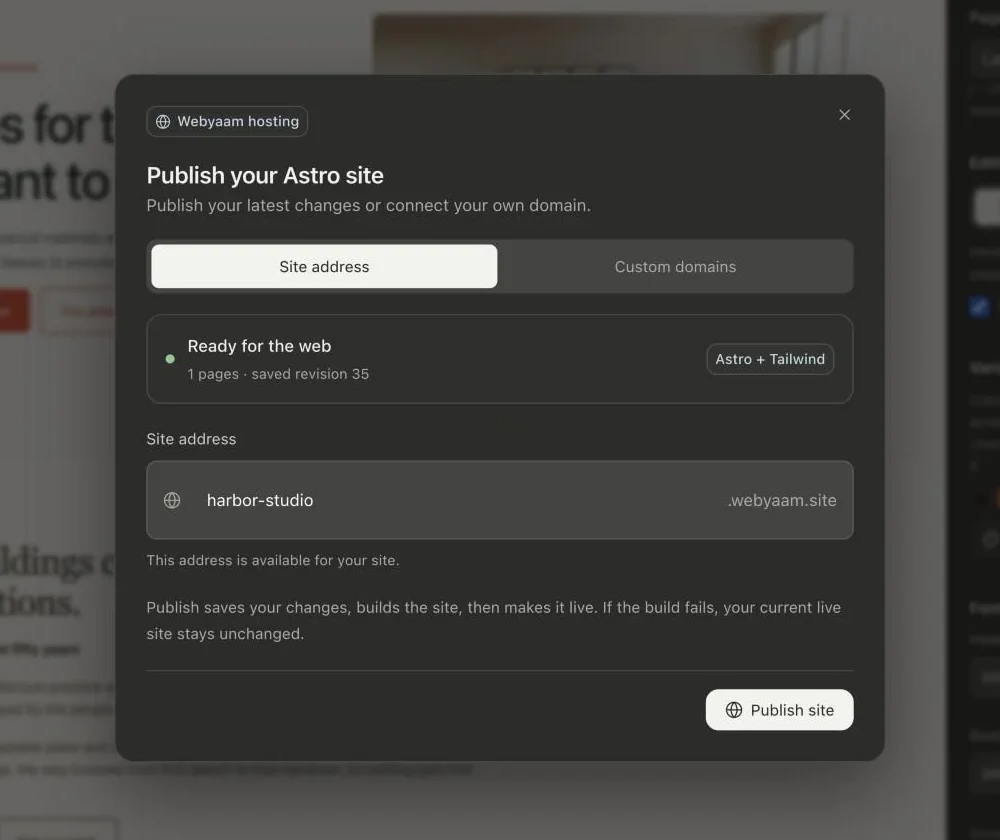
Publishing in Webyaam is a single step: save, build and go live.
How it works
- Select Publish in the builder.
- Choose a site address on webyaam.site.
- Publish. Webyaam creates a production build and updates the live site.
A live snapshot
The published site is a snapshot. Later edits do not change it until you publish again, so you can keep working without visitors seeing half-finished changes.
Safe by design
If a build fails, your current live site stays unchanged and your source is saved.
Your own domain
On the Launch and Grow site plans, connect a domain you own. The builder shows the DNS records to add and checks DNS and HTTPS for you. See Custom domains.