Staging sites
10 on Freelancer, 50 on Agency.
Webyaam for
Client sites, handed off cleanly.
Build on staging, invite clients to their own site, and transfer it to their workspace when the project is done.
Your toolkit Scroll →
A real look at freelancers & agencies in the builder. Scroll to explore.
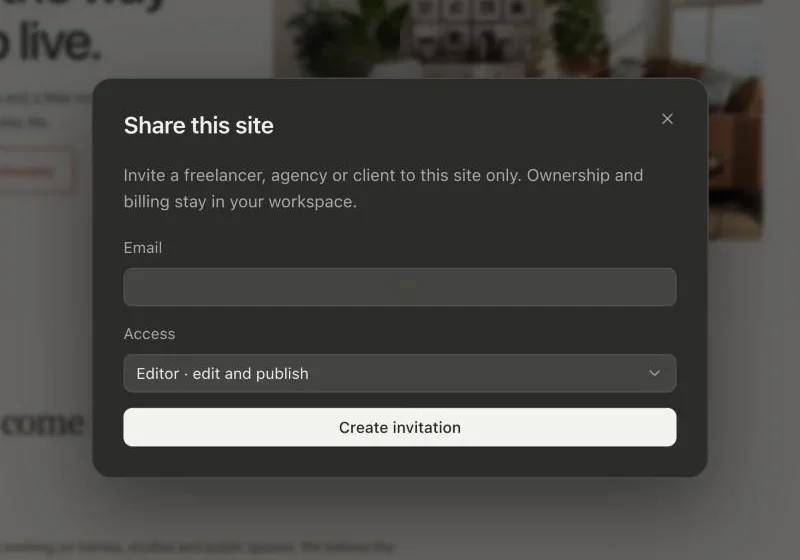
Invite a freelancer, agency or client to this site. Ownership and billing stay in your workspace.
Send an invitation straight from the builder.
Editors can edit and publish. Pick the access each person needs.
The Publish dialog with the site address on webyaam.site and a Publish site button.
See the pages and saved revision that will go live.
Pick a free address for your site, checked as you type.
If a build fails, your current live site stays unchanged.
Publish saves your changes, builds the site and makes it live.
Real screenshots of the Webyaam builder with a demo site.
01 What you get
10 on Freelancer, 50 on Agency.
3 on Freelancer, 5 on Agency.
Bring clients into the site you are building.
Hand off finished sites to client workspaces.
02 How it works
Every project gets a webyaam.site address.
Invite them with the right access.
The client picks a site plan for hosting.
Your next website starts here
Start free in the builder. Your first site gets a 7-day trial with Grow features, no credit card needed.