“Can I export the website?” is an incomplete question. A source archive and a static output archive serve different purposes, and neither is automatically a copy of every hosted service your website uses.
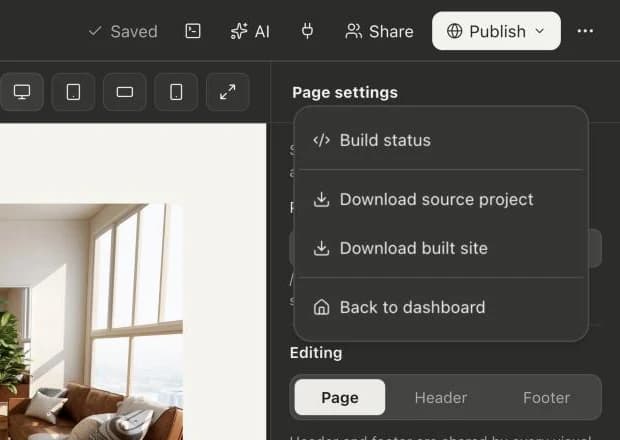
Webyaam offers an Astro source download and a built-site download. This guide explains how to choose between them, what to test and how to prepare a handoff that someone else can actually operate.
Source export is the project you can keep developing
An Astro source project contains the inputs used to build the website: pages, components, styles, content and project configuration. Its package manifest describes the tools and dependencies needed to work on it.
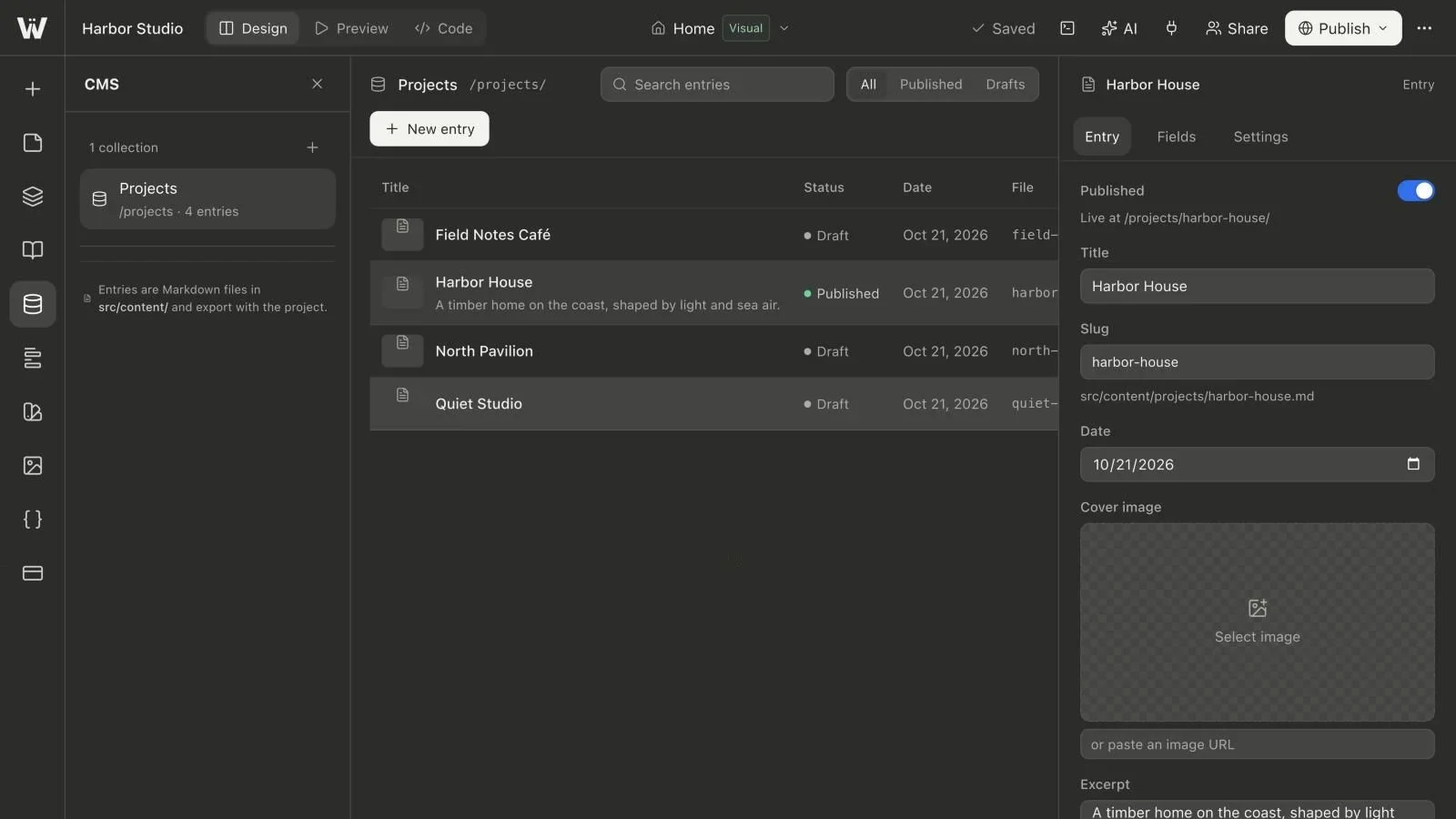
For a Webyaam site, that includes normal Astro and Tailwind project files. CMS entry content is stored with the source as Markdown. Generated routes and schemas connect that content to the site output.
Source is the useful choice when a developer will continue the implementation, maintain the content files, change integrations or build on a different platform. It is also the right kind of archive to retain when you want a development handoff rather than only a copy of today's public pages.
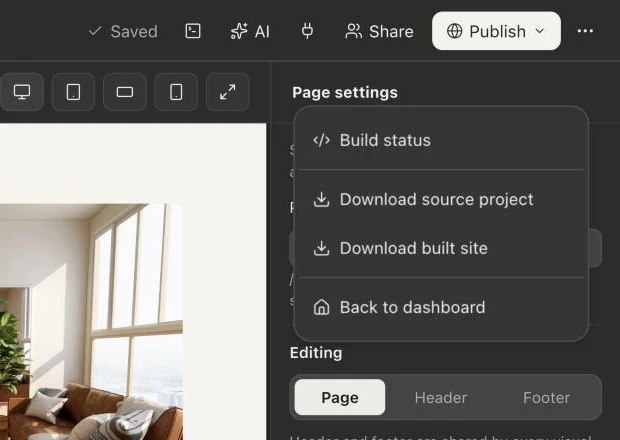
Static export is the result of a build
A built static site contains the HTML, CSS, JavaScript and assets produced by a completed build. Those files can be served by a compatible static host without running the original visual editor.
It is useful for a release archive or for deploying a finished snapshot to a static hosting service. It is less useful as the only long-term editing copy. Editing generated HTML by hand is not the same as maintaining the source that produced it, and the next source build can replace those manual output changes.
If the CMS generated twenty published detail pages, the built output may contain those rendered pages. That does not mean the destination host now has the CMS dashboard that created them.
Compare the handoff responsibilities
| Question | Source archive | Built static archive |
|---|---|---|
| Can a developer change components and rebuild? | Yes, with the required development environment | Not from the original source unless separately supplied |
| Can a static host serve the current pages? | Build the project first | Usually the intended use |
| Does it include an editing dashboard as a running service? | No | No |
| Can content changes produce a new release? | Yes, through a build workflow | Create a new build from source elsewhere |
| Are hosted backend services automatically recreated? | No | No |
These are operational distinctions, not a ranking of one export format over the other. Many handoffs should include both.
Run the source outside the builder before depending on it
Unpack the source in a clean working directory. Read its package manifest, any project instructions and the Node version requirements of the included Astro version. Use the dependency manager and lockfile supplied with the project.
For an npm project with a package lock, a typical verification sequence is:
npm ci
npm run build
npm run preview
If there is no compatible lockfile, use the project's documented installation workflow instead of assuming npm ci can create one. The Astro deployment guide explains the difference between building output and serving it on a host.
Inspect an index page, a nested page and a CMS detail route. Check image paths and browser console messages. A successful archive download proves that a file was delivered; it does not prove that every dependency, asset or service has been checked outside the platform.
Inventory service dependencies separately
Forms are a common example. A static page can display a form, but something must receive, validate and process its submission. A form using Webyaam's platform endpoint does not become a new form-processing server because you moved the HTML to another host.
For an external deployment, configure a suitable form action or backend and test its success, failure and spam-handling paths. Apply the same reasoning to account systems, payments, search services, analytics and other network dependencies.
Inspect asset URLs as well. A file in an archive and an image loaded from an external CDN have different maintenance and licensing dependencies. Do not assume that every remote image has been converted into a locally owned asset.
Configure the destination host for the site's URLs
Test a direct request to a nested path, not only navigation from the home page. A host must serve the generated pages at the paths the site uses. Review the canonical origin, any base-path settings and redirects when the destination domain changes.
DNS, HTTPS and caching configuration belong to the destination deployment. Source ownership gives you the ability to implement those choices; it does not configure another provider's account automatically.
Keep secrets out of the source archive. Environment-dependent settings should be supplied through the destination's environment configuration. Rotate a credential if it has accidentally been included in an export; deleting a line from the next archive does not invalidate an already exposed secret.
Decide who edits content after export
A client can continue using Webyaam as the editing environment and release new builds through an agreed workflow. Alternatively, a developer can maintain the exported Astro source and Markdown content outside the platform. Decide which copy is authoritative.
Avoid an undocumented arrangement where one person edits generated files on a host while another edits source in the builder. The two versions will drift, and a later deployment can silently replace work.
Check the current pricing and export eligibility for Webyaam. Export access depends on the applicable site or workspace entitlement; the existence of an export feature does not mean every plan includes every code tool.
Keep a release package that can be understood later
Record the source revision, exported build, installation steps, required services, asset dependencies, deployment destination and responsible maintainer. Preserve both the source and the known-good output when practical.
Use the client handoff guide for the wider ownership discussion. The visual Astro hub and CMS hub explain how those exported files relate to the editing workflow that created them.