1. Create a site
- Sign in at app.webyaam.com. A workspace is created for you.
- Choose New Site, pick Start from scratch, enter a site name and select Create site.
- The builder opens your new Astro + Tailwind project.
Already have a static Astro site? Choose Import Astro project and upload a ZIP instead. node_modules, dist and .git are left out automatically. Server adapters are not supported.
2. Add sections
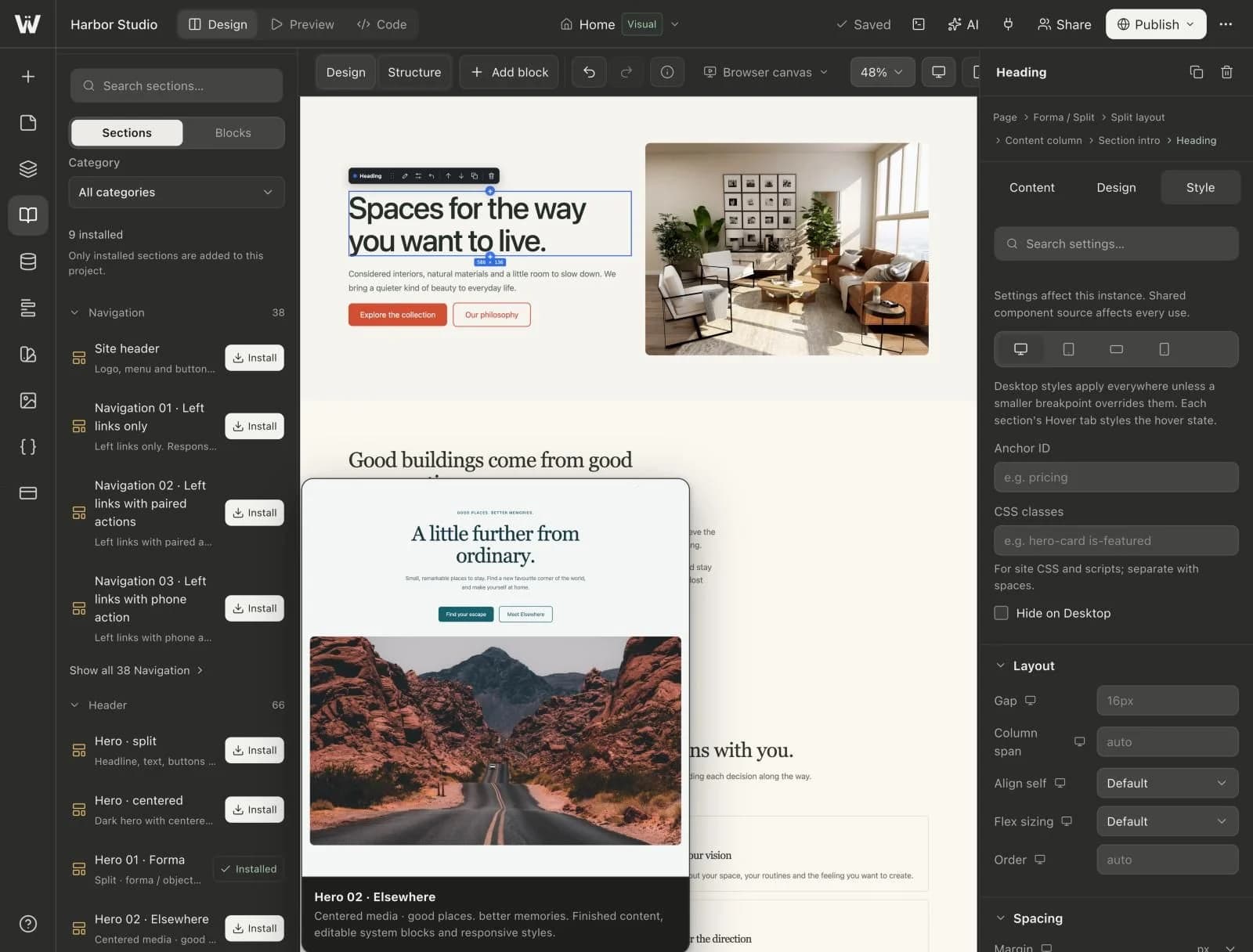
Open the section library, pick a category such as Header or Pricing, and insert a finished preset. It becomes your own section immediately.
3. Edit content and style
Select any block on the canvas or in the Navigator. Change its content and layout in the Design tab, and its typography, spacing, color and effects in the Style tab.
4. Check every screen size
Switch the canvas between desktop, tablet, landscape and mobile, and adjust only what needs to change on each one.
5. Publish
Select Publish, choose your site address and publish. Webyaam saves your changes, builds the site and puts it live on webyaam.site.