The library
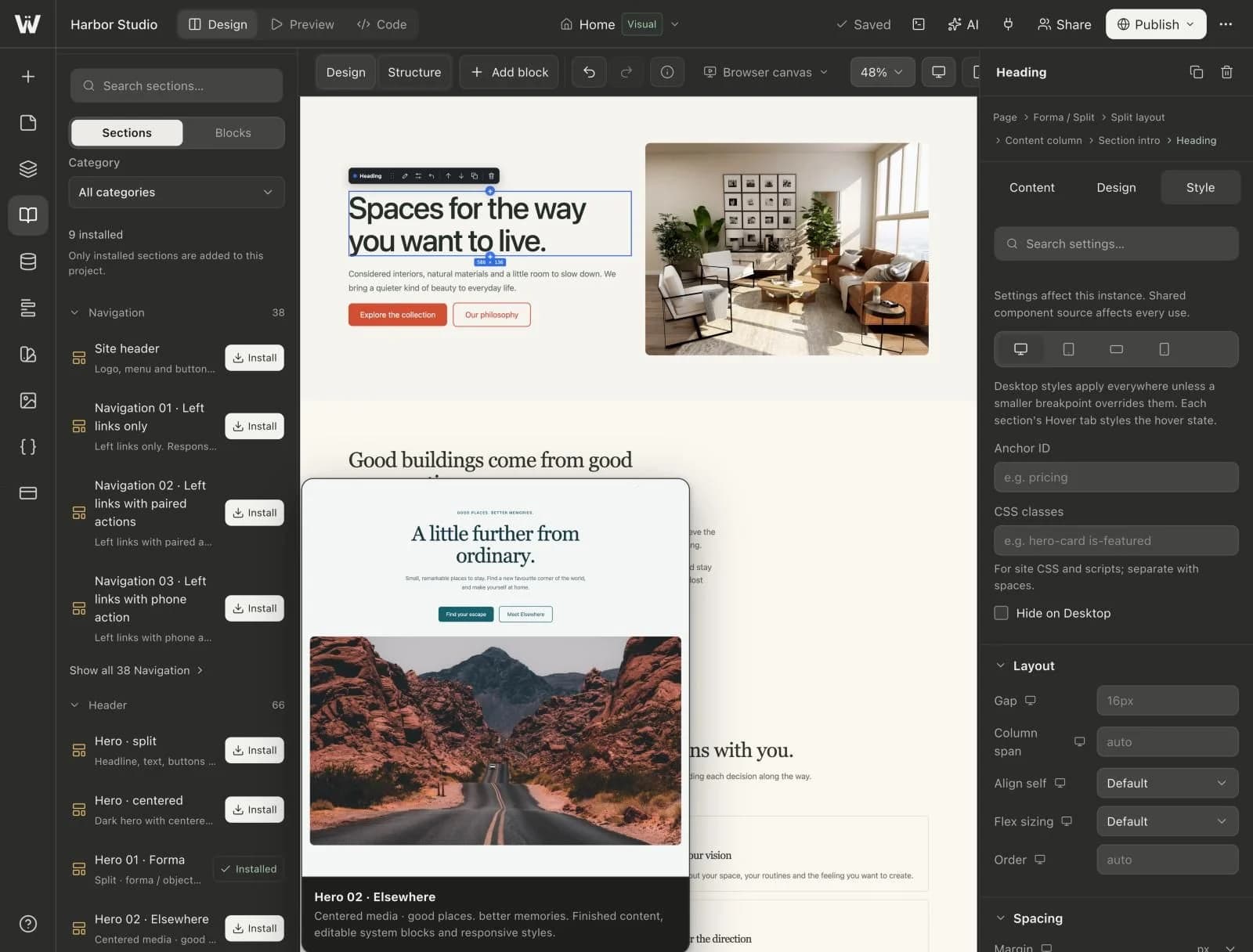
The built-in library holds more than 900 finished sections across 13 categories, plus single blocks such as headings, buttons, images, stacks and grids.
- Navigation, Header, Feature, Content
- How it Works, Team, Testimonial, Pricing
- FAQ, CTA, Footer, Contact, Blog
Insert a preset
- Open the library and filter by category.
- Insert the preset where you want it on the page.
- Edit its content and style like any other block. Nothing is locked.
Save your own
Designed a section you want to reuse? Save it as a preset and insert it on other pages.