Webyaam and Framer should be compared against the way you intend to build, deliver and maintain a website. A visually appealing first page is only one part of that decision. Content operations, ownership requirements and the destination hosting model can matter more over the site's lifetime.
This article uses a small studio or product marketing site as the example. Webyaam is our product; the recommendations below reflect our assessment rather than an independent benchmark. Framer's linked export guidance was reviewed on October 31, 2026.
Define the project before choosing a tool
Write down the pages, repeating content, interactions, integrations and people involved. Identify whether independent hosting is required now, might become necessary later or is not part of the brief.
Those answers change the evaluation. A team that wants to design and operate within one hosted platform has different needs from a developer who must deliver a standard Astro project to an existing repository and release process.
Also establish what is outside the project. A static marketing site with a few forms is not automatically a substitute for an authenticated product, a transactional backend or a complex store.
Understand the hosting and export decision
Framer's official self-hosting guidance states that its website platform does not provide a native HTML export for independent self-hosting. It presents design, publication and hosting as a managed platform workflow.
That can be an acceptable operating model when it matches the client's requirements. It is a constraint when the agreement explicitly requires an independently hosted code project.
Webyaam creates Astro and Tailwind source and offers source and built-site downloads under the applicable plan entitlement. Downloaded source can be maintained as an Astro project; downloaded static output is a snapshot of a build. Neither download automatically recreates the Webyaam service on another host.
Read source export versus static export before deciding what “ownership” means in your contract.
Build the same representative page
Use the same content and assets in each evaluation. Include a long heading, a real description, a contact action and a section with repeated cards. Start from a preset or blank structure according to how you would actually work on the project.
Then change the brief slightly. Replace the image with a different crop, make the main heading longer and change the order of two sections. Those adjustments reveal more about the working process than a demonstration built around perfectly matching placeholder content.
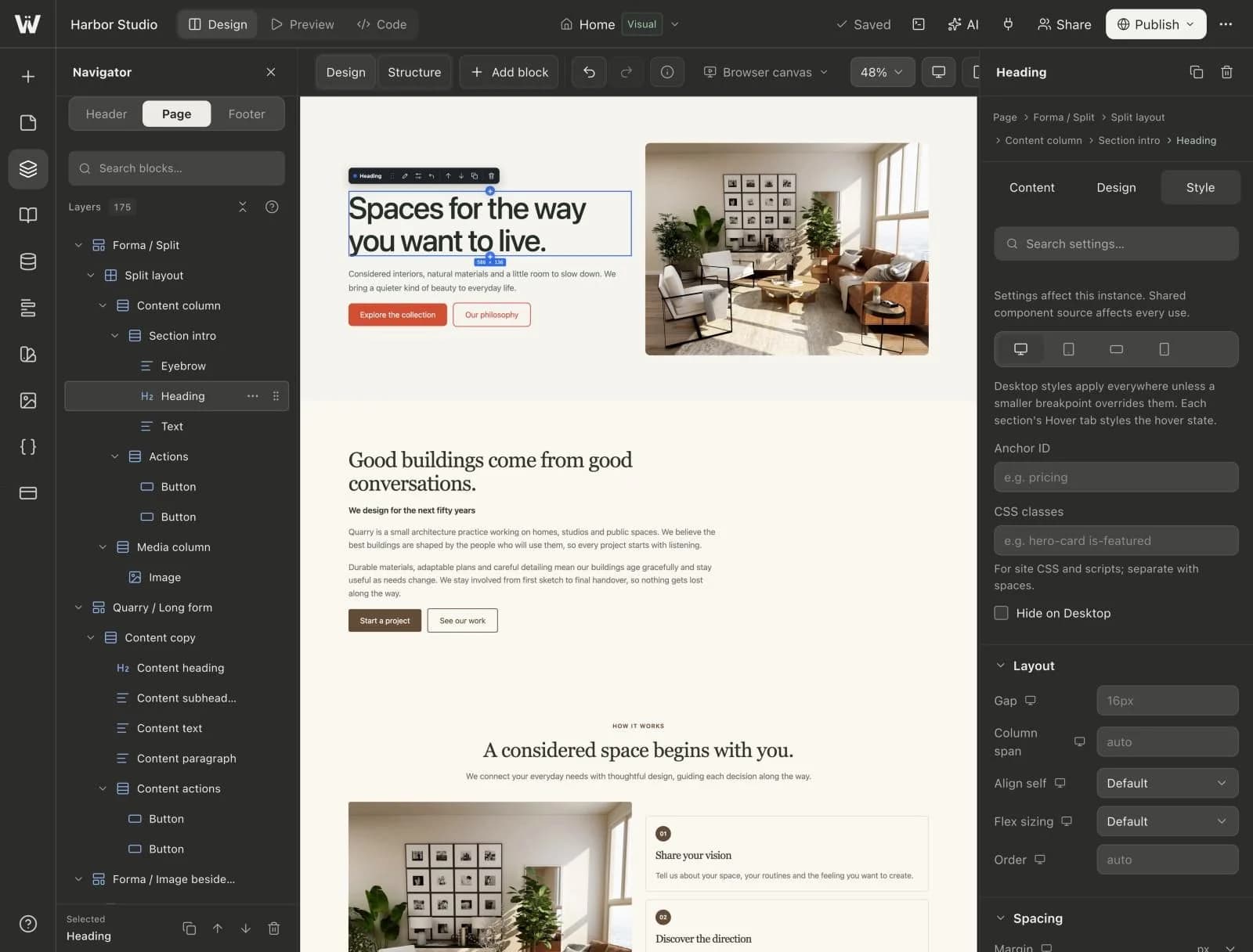
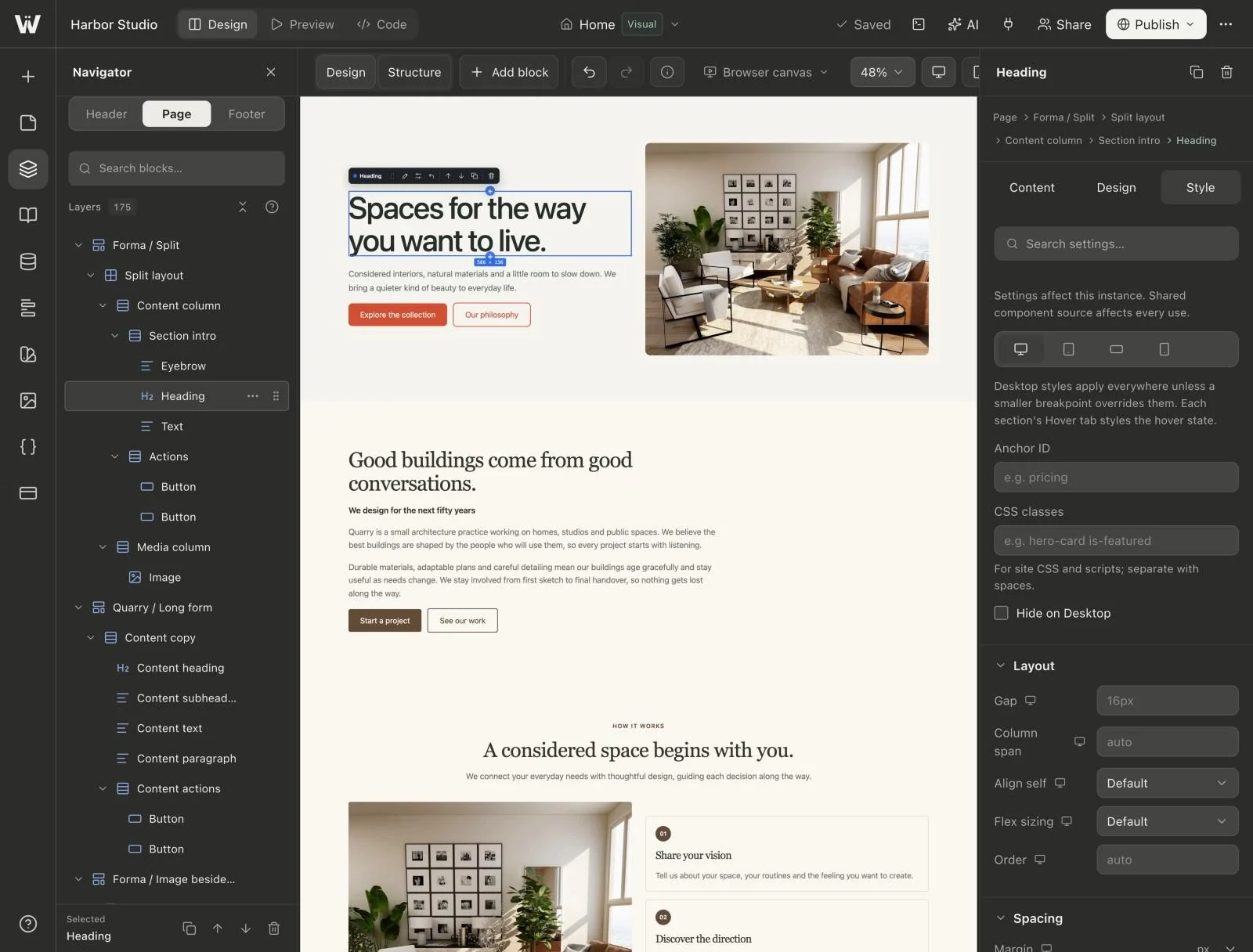
In Webyaam, inspect the Navigator and the Design and Style controls. Review how the resulting Astro source is organized if a developer will be responsible for later maintenance. Do not assume the presence of code files means the whole site should be edited by hand.
Test responsive behavior beyond the first mobile preview
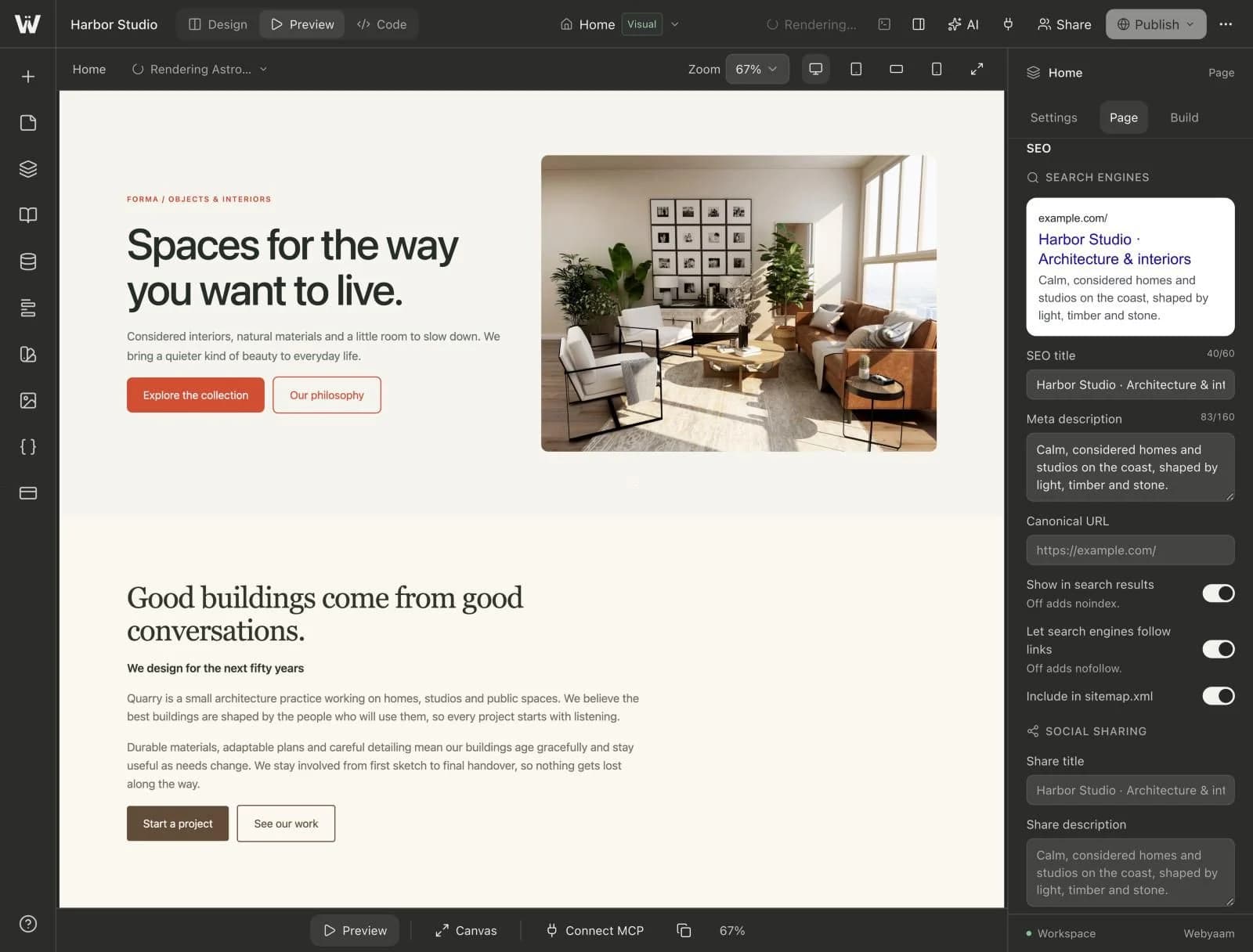
Inspect desktop, an intermediate width and a narrow phone layout. Test the shared navigation, long card titles and form errors. Verify the reading order when columns stack.
Use the same accessibility review in both evaluations: keyboard navigation, visible focus, understandable control labels, heading structure and meaningful image alternatives. A tool choice is not a complete accessibility assessment.
If performance is an acceptance criterion, measure the built pages using a recorded method. Keep the content, device assumptions and network conditions comparable. This article does not claim a universal performance winner from framework choice alone.
The responsive landing-page guide provides a practical review sequence for the Webyaam side of that test.
Evaluate content maintenance with real records
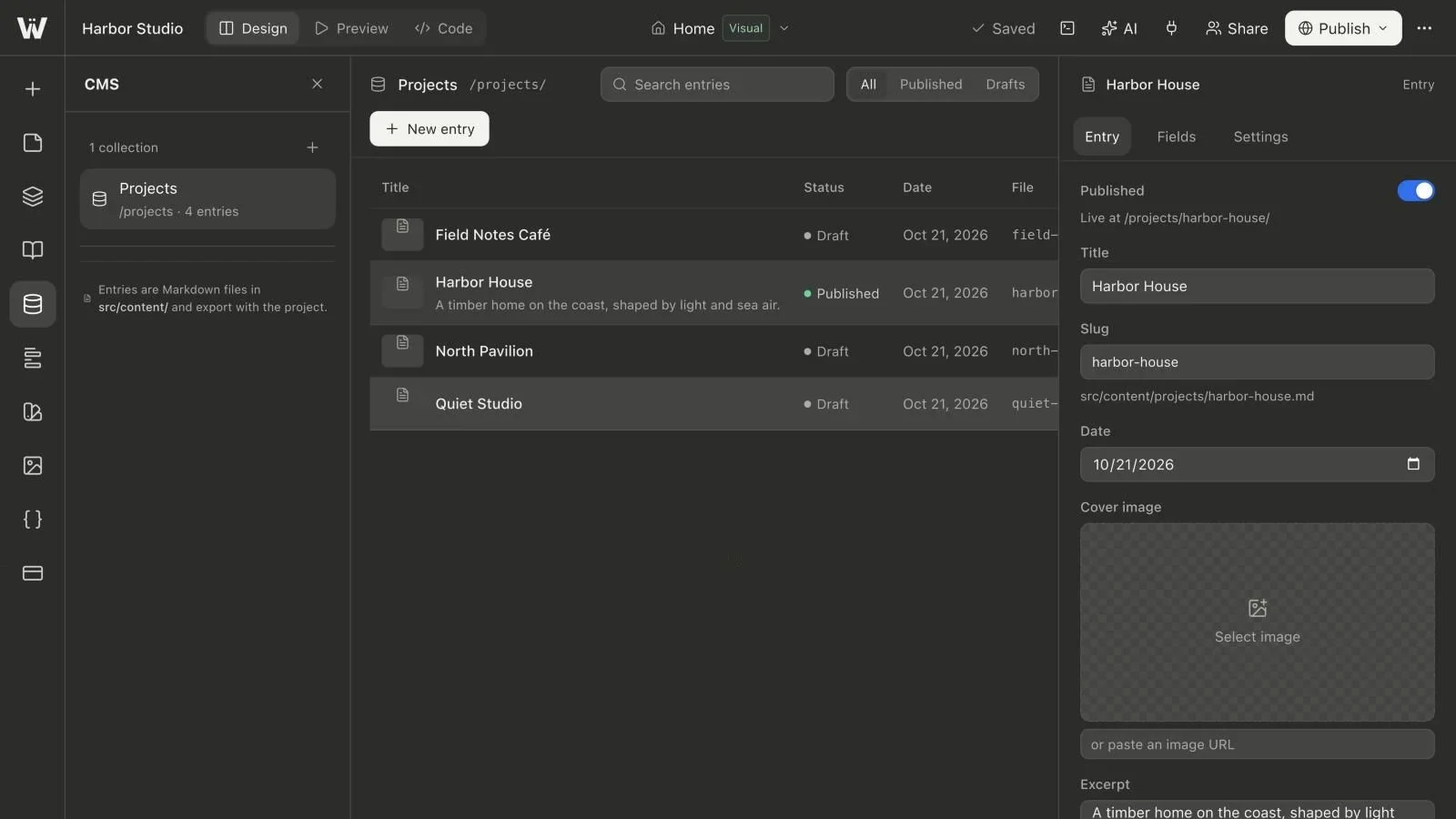
Create three representative projects or articles. Give one a long title, leave an optional field empty and keep one record as a draft. Ask the intended editor to make a small update without help.
For Webyaam, collections store content as Markdown files and generate Astro detail routes. A collection list displays the published records on a page. The workflow is useful when you want the content to travel with the source and can build new output when the content changes.
Decide whether that model fits the team. Do not assume that having a CMS feature means every product uses the same storage, publication or external-hosting model. Test the exact maintenance tasks and recovery steps the client needs.
Make the reuse model understandable
Ask how a shared design update should propagate. Does changing a card affect one copy, all linked instances or only a starting pattern for future insertions? Can the client tell the difference?
In Webyaam, presets, linked visual components and variables solve different reuse problems. Shared header and footer areas handle site-wide structure. Choose the mechanism according to the next likely change rather than turn every element into a component.
This matters during AI-assisted editing as well. A vague instruction to “update all cards” can change the wrong scope unless the assistant first inspects the structure.
Include AI and integrations in the workflow test
Webyaam offers a built-in site agent and a remote MCP endpoint for compatible external assistants. Verify the specific operations you need: discovery, content edits, reuse, review and publication.
Avoid deciding the comparison from the presence or absence of a chat interface. Evaluate current product capabilities with a concrete brief. Ask the assistant to report confirmed checks, failures and unresolved assumptions instead of presenting a generated page as a finished, tested system.
External services also need attention. A form receiver, analytics account or payment integration has its own configuration and ownership. A successful design preview does not establish that those services work.
Plan the lifetime cost and handoff
Compare the current plans against the number of sites, people, content records and services involved. For Webyaam, check site and workspace plans, including any code/export requirements. For Framer, consult its current plan information rather than rely on an old comparison table.
If a move between platforms is part of the project, treat it as a scoped rebuild and migration. Inventory content and URLs, implement a representative page and test the integrations. Do not promise a one-click transfer that preserves every platform-specific feature.
Before handoff, make the client perform an ordinary update and identify who owns the domain, hosting and ongoing maintenance. Our handoff checklist covers those responsibilities.
A practical decision rule
Investigate Webyaam when visual editing connected to an Astro source project and an export path are central to the brief. Investigate Framer's managed workflow when operating inside its design-and-hosting model meets the team's requirements. An existing working site may be better improved than migrated without a clear reason.
Use the visual Astro hub to plan a representative Webyaam build, and the CMS hub to test its ongoing content workflow before making the final decision.